Choose a fillable PDF planner if you like to see your whole week or month on one page, want to type on screen and print pages to write by hand, and don't want a subscription: you buy it once, keep the file, and fill it in with the free Adobe Acrobat Reader on your phone, tablet or computer. Choose a planner app if you need reminders that pop up on your phone and plans that sync by themselves across your devices or with your family. Lots of people happily use both: the phone calendar for appointments, and a fillable planner for goals, weekly plans, habits and budgets.
Paper, PDF or app? If you're planning 2027 and you're not sure which kind of planner will actually stick, you're not alone. There's no single right answer, just the one that fits the way you think and the way you live. Here's an honest look at both, so you can choose with confidence.
1. What each one is
- A fillable PDF planner is a planner file with boxes you can type into. Open it in the free Adobe Acrobat Reader to type your plans and tick boxes, or print the pages and write by hand. You download it once and it's yours to keep.
- A digital planner app can mean two different things:
- Calendar and to-do apps, like Google Calendar or the calendar already on your phone. You add events, and the app reminds you and keeps your plans in step across your devices.
- Note-taking apps, like GoodNotes or Notability, where you open a PDF planner and write on it with a stylus. Here the "digital planner" is actually a PDF, so a planner like ours works there too.
2. Side by side
| Fillable PDF planner | Planner or calendar app | |
|---|---|---|
| Cost | Pay once and keep the file. The Adobe Acrobat Reader you fill it in with is free. | Many are free to start. Some charge a monthly or yearly subscription for more features or space. |
| Reminders | None. It's a page, so it can't buzz your phone. | Yes: alerts on your phone, in your browser or by email. |
| Syncing | The file stays where you save it. Keep it in a cloud folder to open it on another device. | Syncs by itself across your phone, tablet and computer. |
| Seeing the big picture | A whole week or month on one page, with goals, habits and budgets beside your plans. | Great for times and appointments; goals and notes often live somewhere else. |
| Paper | Print any page, any time, and write by hand. | Mostly screen only. |
| Devices | Phone, tablet or computer with Adobe Reader, or in a note-taking app with a stylus. | Depends on the app. Check it works on all your devices. |
| Sharing | Print a page for the fridge, or send a copy of your file. | Easy to share a family calendar or invite people to events. |
| Best for | Weekly planning, goals, habits and budgets, and anyone who loves paper too. | Busy schedules, appointments and shared family plans. |
About app prices: they change often, so check before you sign up. In November 2026, some popular note-taking apps were free to start with a small limit on files or notes, then charged a yearly subscription for more.
3. A fillable PDF planner is right for you if…
- You like to see your week or month at a glance, not just a list of events.
- You want your goals, habits and budget in the same place as your plans.
- You like to type some days and write by hand on others. Print just the pages you want.
- You'd rather pay once than add another subscription.
- You like your planner to feel personal: pretty pages, not a busy app screen.
4. A planner app is right for you if…
- You need reminders, like "dentist in 30 minutes" or "pay the water bill on Friday".
- Your plans change a lot, and you want them up to date on every device without thinking about it.
- You share a calendar with family, a partner or a team.
- You mostly plan on your phone and rarely want anything on paper.
Good to know: if you like writing with a stylus on a tablet, a note-taking app and a PDF planner work well together. You import the PDF and write right on the pages. In our planners, the tabs and menus still work there.
5. The best of both: use them together
You don't have to pick just one. Here's a simple setup that many planners love:
- Appointments and reminders go in your phone's calendar. It buzzes you at the right time, so nothing slips.
- Once a week, open your fillable planner and plan your week: top 3 priorities, to-dos, meals or habits. Copy in any appointments you need to see.
- Once a month, use the bigger pages: monthly goals, the budget, and a quick look back at how the month went.
- Print the pages you want on paper, like this week's plan for the fridge, and keep the rest on screen.
A gentle tip: the best planner is the one you'll actually open. If an app full of alerts feels stressful, a calm weekly page might suit you better. If you keep forgetting your planner, let your phone remind you to open it.
New to fillable PDFs? Our guide How to Fill In a Fillable Planner PDF walks you through it on any device. Still deciding on a planner? See Undated vs Dated Planner.
6. Our fillable planners
Here's what we make. Every one is a fillable PDF: type in the free Adobe Acrobat Reader on your phone, tablet or computer, write in GoodNotes or Notability with a stylus, or print and write by hand. No subscription, and the files are yours to keep.
2027 Vintage Botanical Planner
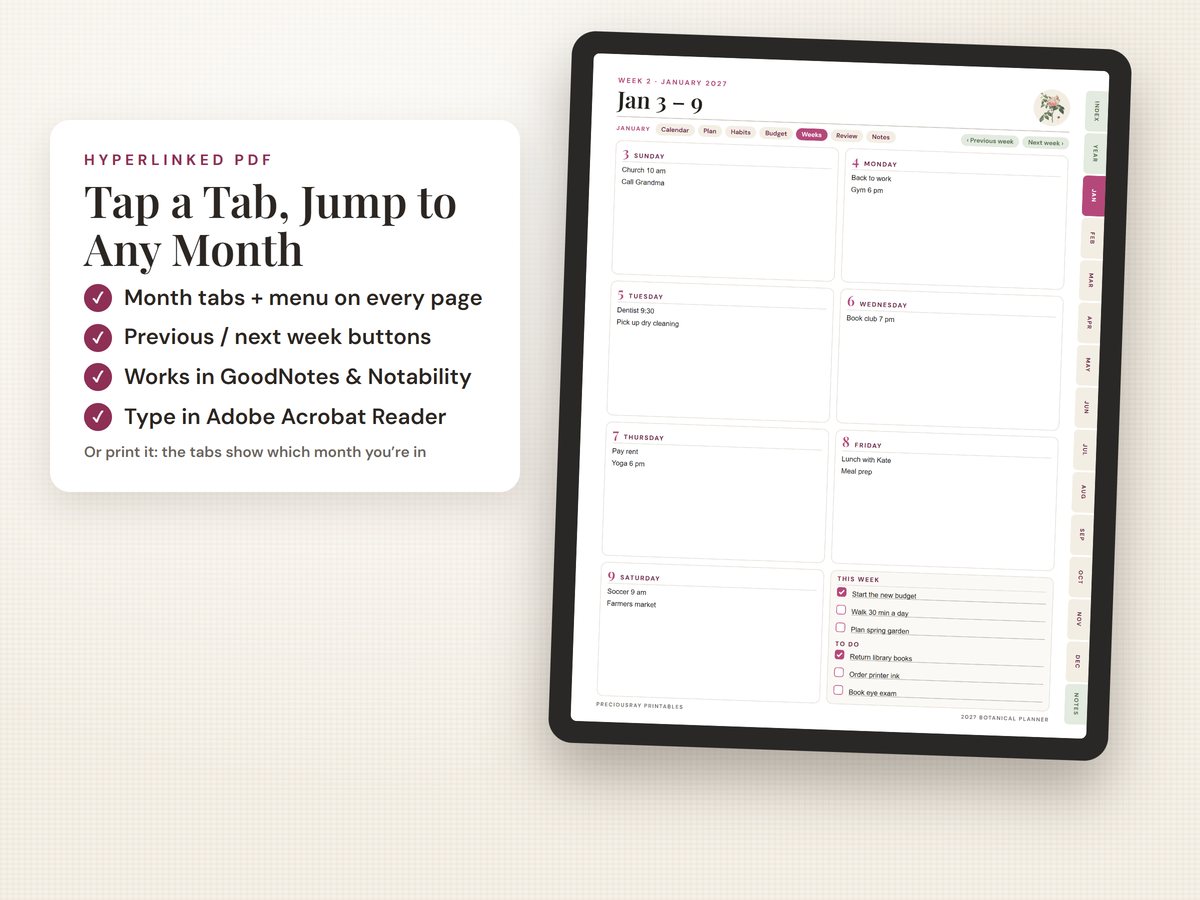
138 pages: year, monthly and 53 weekly pages, habit and mood trackers, and budgets that add up. Clickable tabs and a menu on every page. Sunday or Monday start, US Letter and A4.
$11.99 · instant downloadSee it on Etsy →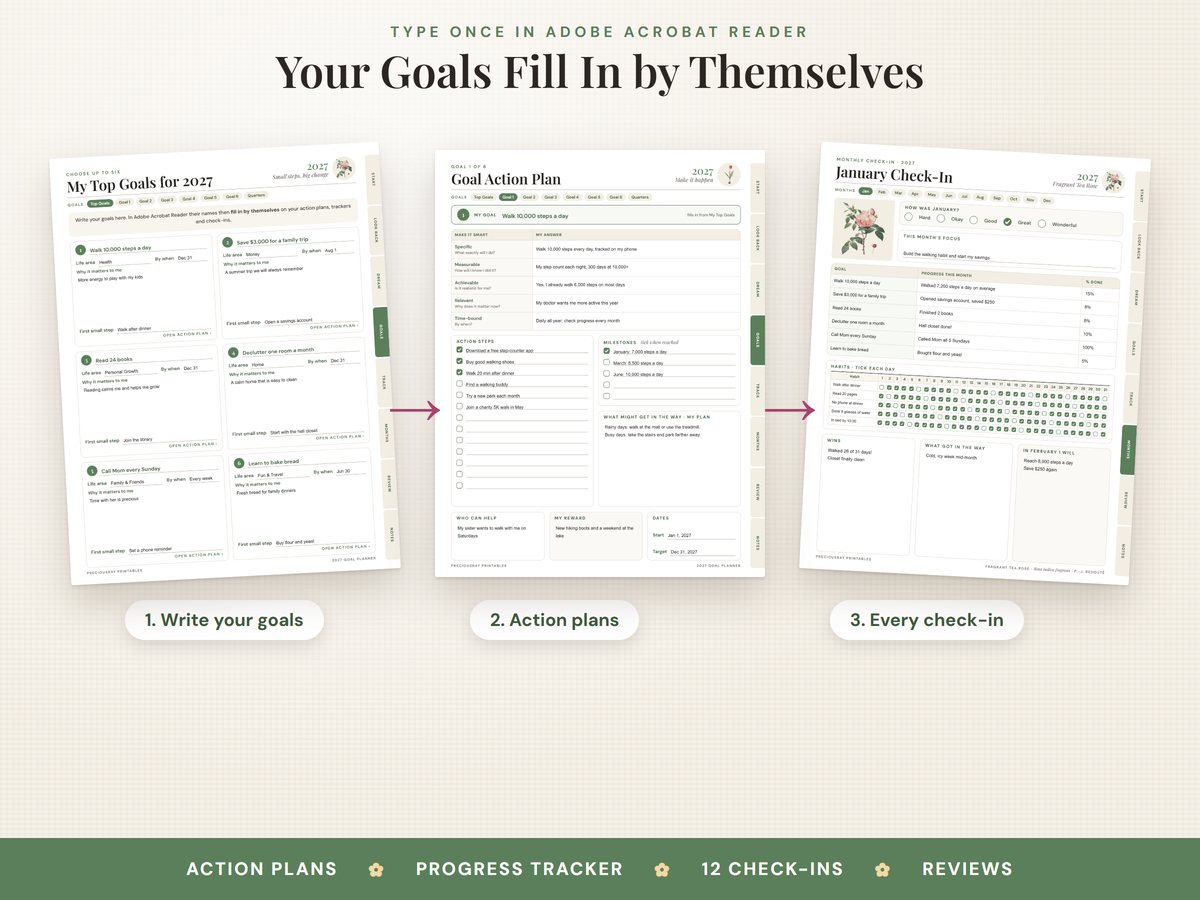
2027 New Year Goal Planner
43 pages, from looking back on 2026 to 12 monthly check-ins. Type your goals once and they fill in everywhere. Vision board, habit and savings trackers.
$6.99 · instant downloadSee it on Etsy →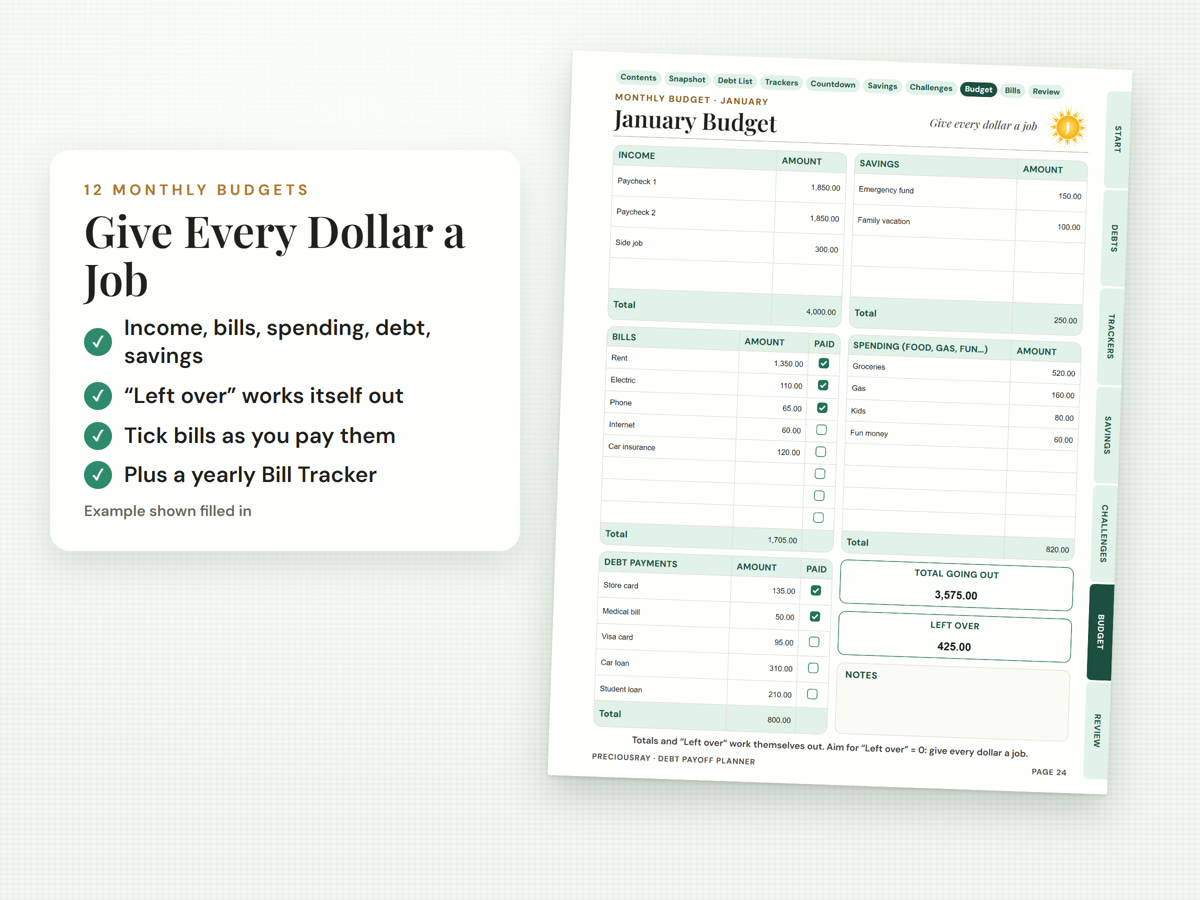
Debt Payoff & Budget Planner
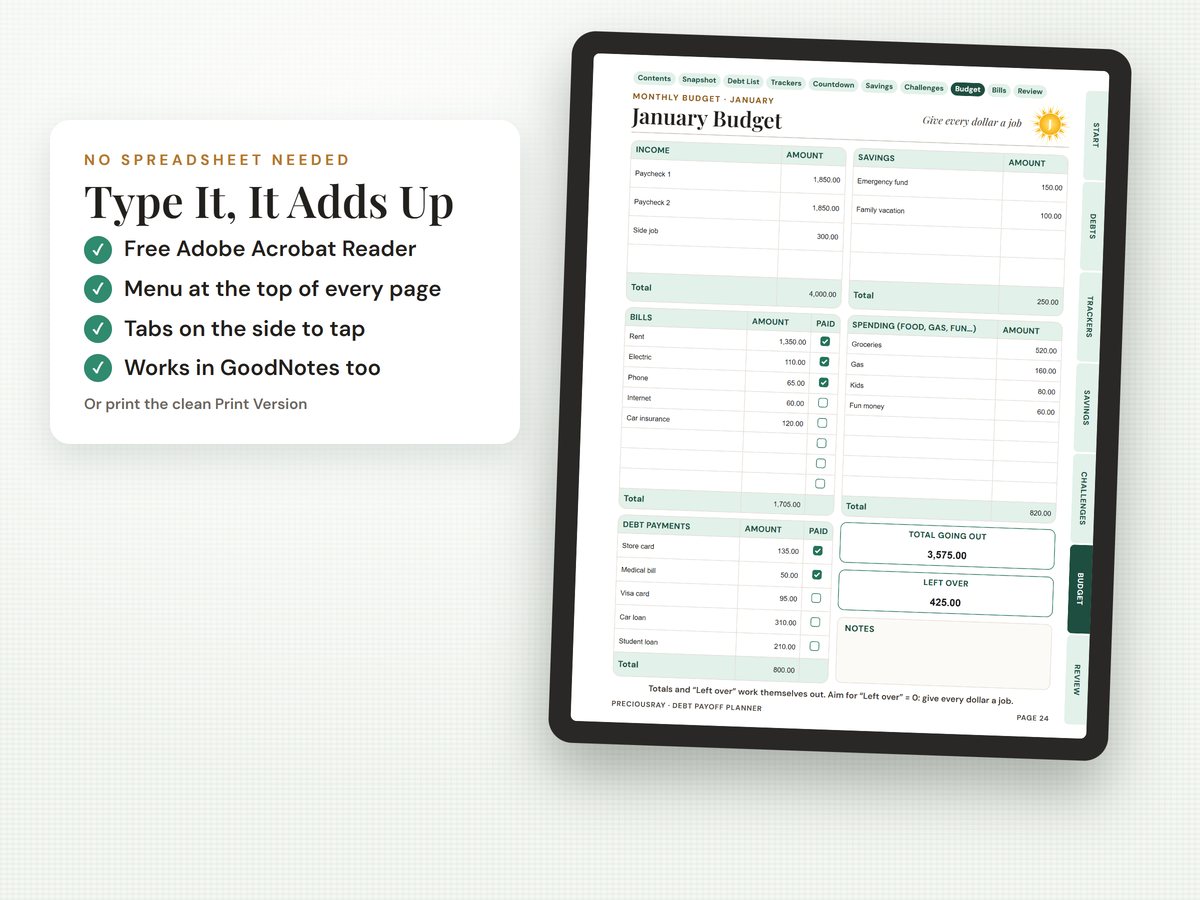
Debt trackers where the balance updates as you type, 12 monthly budgets and 4 savings challenges. Includes a clean print version too.
$7.99 · instant downloadSee it on Etsy →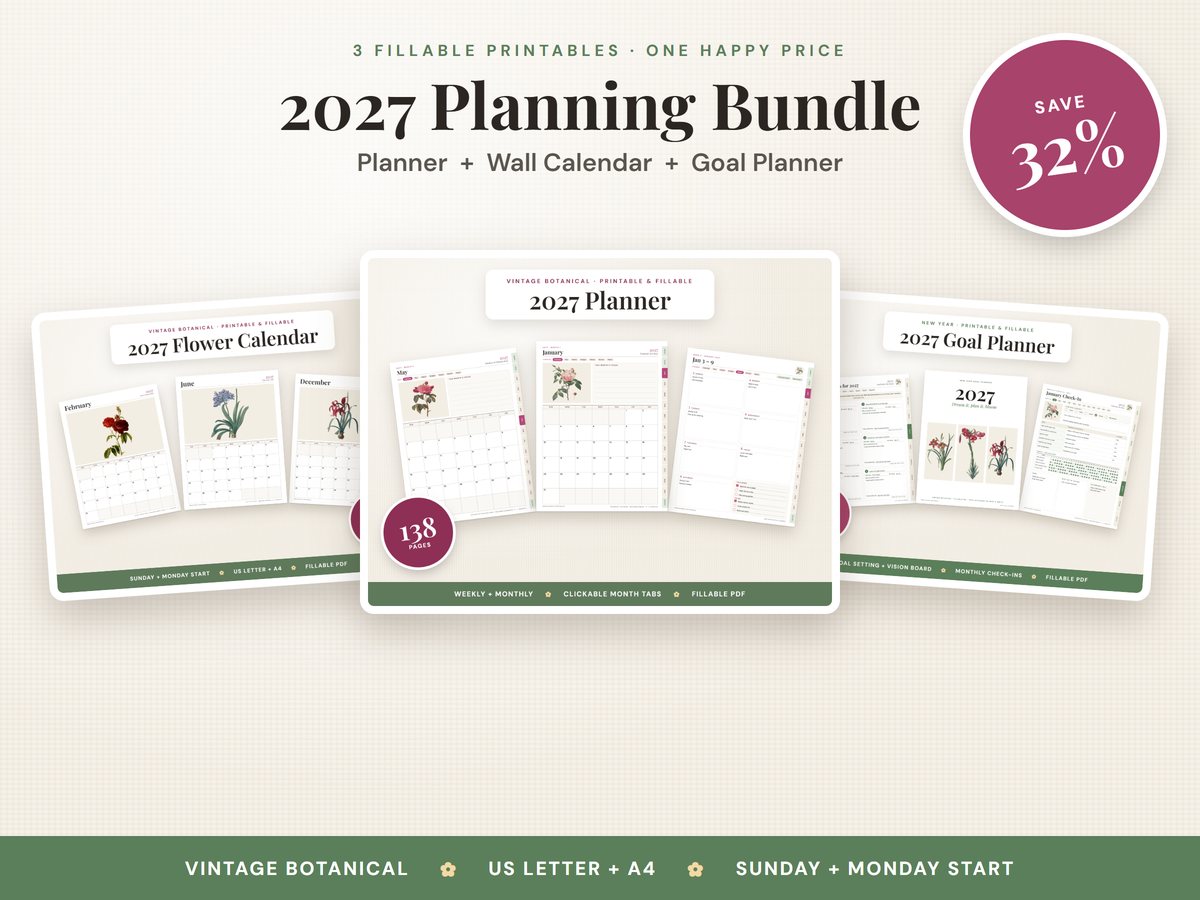
2027 Planning Bundle
The Botanical Planner, Flower Wall Calendar and Goal Planner together, with the same 12 vintage flowers. $24.97 if bought separately.
$16.99 · instant downloadSee it on Etsy →Questions people ask
Is a fillable PDF planner the same as a digital planner?
Not quite. "Digital planner" can mean a planner app, or a PDF planner you write on in a note-taking app with a stylus. A fillable PDF planner has boxes you can type into in the free Adobe Acrobat Reader, and you can also print it and write by hand. Many PDF planners, including ours, can be used in note-taking apps too.
Is a digital planner worth it?
It depends on how you plan. If you need reminders and plans shared across your phone and computer, a planner or calendar app is worth it. If you like to see your whole week or month on one page, print some pages, or avoid a subscription, a fillable PDF planner is usually the better value.
Can I use a fillable PDF planner in GoodNotes or Notability?
Yes. You can import a PDF planner into note-taking apps like GoodNotes or Notability and write on it with a stylus. In our planners the tabs and menus still work there. Automatic budget totals only work when you type in Adobe Acrobat Reader, so use Reader for those pages.
Does a fillable PDF planner send reminders?
No. A PDF is a page, not an app, so it can't remind you. Many people put appointments in the calendar app on their phone for the reminders, and use a fillable planner for goals, weekly plans, habits and budgets.
Do I need a subscription to use your fillable planners?
No. You buy the planner once on Etsy and keep the files. You can type in them with the free Adobe Acrobat Reader, which doesn't need a subscription to read, fill in or sign PDFs, or you can print the pages and write by hand.
Will my typed plans sync to my other devices?
Not automatically, the way an app does. The planner is a file, so it's on whichever device you saved it to. If you keep it in a cloud folder, like Google Drive, you can open it on another device too. Save your changes before you switch.
Is a paper planner better than a digital one?
Some people remember plans better when they write them by hand, and others love typing on a phone. A fillable PDF planner lets you do both: type on screen when it's handy, and print the pages you want on paper.
Ready to plan 2027 your way?
See our fillable 2027 Vintage Botanical Planner: type on screen, write with a stylus, or print and write. Buy once, no subscription.
See the 2027 Planner