
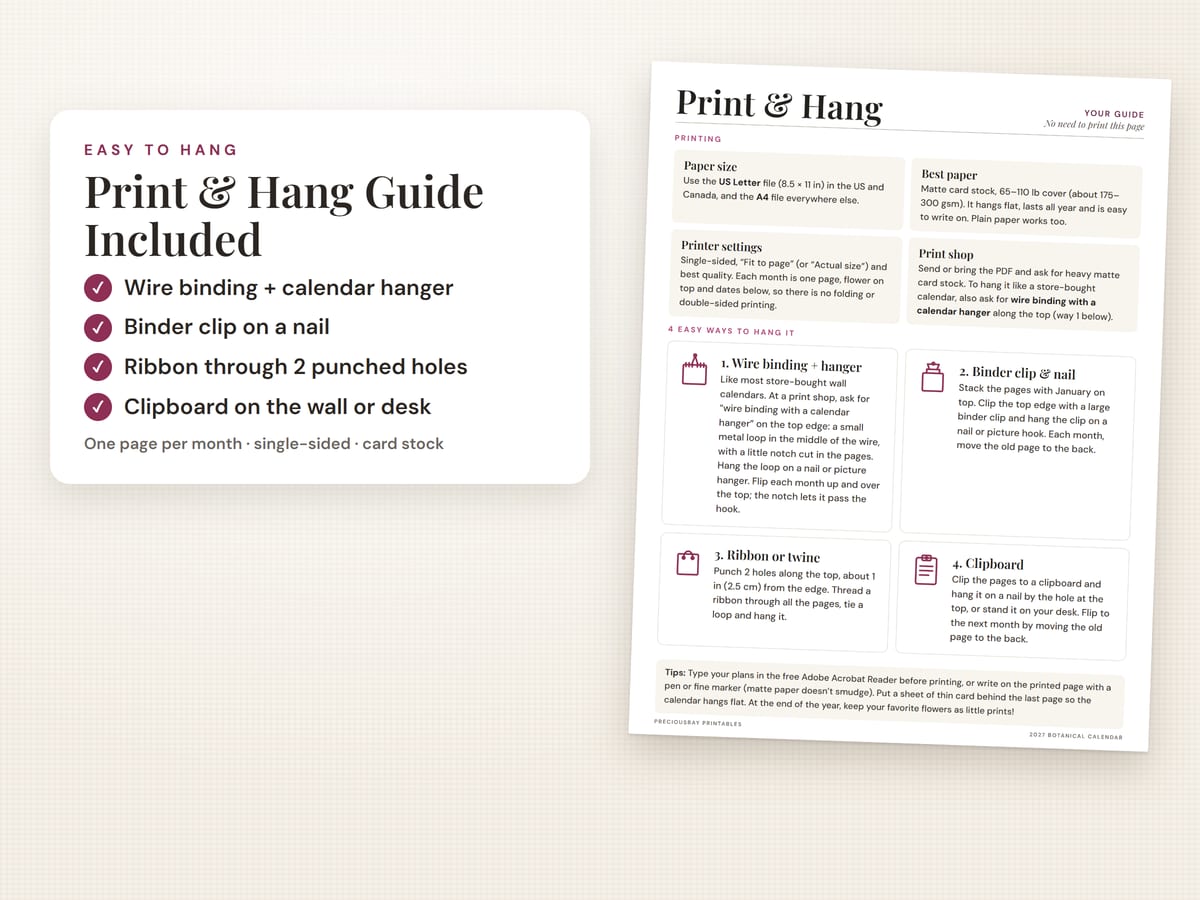
Use the US Letter file in the US and Canada (A4 everywhere else). Print single-sided, in color, with Fit to page, on matte card stock, 65–110 lb cover (about 175–300 gsm). Then hang it: ask a print shop for wire binding with a calendar hanger, or at home use a binder clip, a ribbon or a clipboard.
This guide uses our 2027 vintage botanical calendars as the example, but the same steps work for almost any printable wall calendar.
1. Pick the right file: size and start day
| If you… | Use this file |
|---|---|
| Live in the US or Canada | US Letter (8.5 × 11 in). It matches the paper sold there. |
| Live almost anywhere else | A4 (210 × 297 mm). |
| Like weeks to start on Sunday | Sunday start (common in the US and Canada). |
| Like weeks to start on Monday | Monday start (common in the UK, Europe and Australia). |
Our calendars include all four versions, so you never have to resize anything.
2. The best paper for a wall calendar
The short answer is matte card stock. It hangs flat, survives a year of page-turning, and takes pen and pencil without smudging. Paper weight is printed on the pack, in pounds (lb) in the US or grams per square meter (gsm) elsewhere.
| Paper | Good for |
|---|---|
| Plain printer paper, 20–24 lb (75–90 gsm) | A quick test print, or a calendar clipped to a clipboard. It curls more on the wall. |
| Light card stock, 65 lb cover (about 175 gsm) | Works in nearly all home inkjet printers. The best choice for printing at home. |
| Heavy card stock, 80–110 lb cover (about 216–300 gsm) | The sturdiest, most "store-bought" feel. 80 lb often works through a rear or manual feed tray; 100–110 lb is usually too thick for home printers, so use a print shop. |
Matte, not glossy. Glossy paper reflects light and many pens smear on it. Bright white matte paper also shows the cream backgrounds and plant colors best.
3. Printer settings, step by step
- Type your plans first (optional). Open the PDF in the free Adobe Acrobat Reader and type into the date boxes, then save. Don't have it? Download it free at get.adobe.com/reader on a computer, or search "Adobe Acrobat Reader" in the App Store or Google Play. Some other PDF viewers do not save typed text.
- Print a test page. Print one month on plain paper to check the size and colors before you use card stock.
- Open Print (Ctrl + P on Windows, Cmd + P on a Mac).
- Page sizing: choose "Fit". In Adobe Reader it is called Fit; in other apps it may say Fit to page or Fit to printable area. Most home printers cannot print right to the edge, so this keeps every date box on the paper.
- Single-sided, in color. Each month is one page, with the picture on top and the dates below. There is nothing to print on the back.
- Pick the pages you want. You can skip the last page (the print-and-hang guide) if you like.
- Choose the paper type and quality. Under Properties or Printer settings, pick "Card stock", "Matte" or "Heavy paper" if it is listed, and the best quality setting.
- Feed card stock one sheet at a time through the rear or manual tray, if your printer has one. Let the pages dry for a few minutes before stacking them.
4. Printing at a print shop instead
No printer, or want the store-bought look? Any local print shop or office-supply store can print a calendar from a PDF. Save the file to a USB stick or email it to the shop, and ask for:
"Single-sided color prints on heavy matte card stock, US Letter (or A4), and wire binding with a calendar hanger along the top edge, please."
Prices differ from shop to shop, so ask for a quote first. If you typed plans into the file, bring the saved copy.
5. Four easy ways to hang it
Our calendars leave about ¾ inch (2 cm) of clear space at the top of every page, so binding or holes never cut into a word or a picture.
- Wire binding + calendar hanger (print shop). This is how most store-bought wall calendars hang: a wire along the top with a small metal loop in the middle and a little notch cut in the pages. Hang the loop on a nail or picture hook, and flip each month up and over the top.
- Binder clip and nail. Stack the pages with January on top, clip the top edge with a large binder clip and hang the clip on a nail. Each month, move the old page to the back.
- Ribbon or twine. Punch two holes about 1 inch (2.5 cm) from the top edge, thread a ribbon through all the pages, tie a loop and hang it. Pretty for a gift.
- Clipboard. Clip the pages to a clipboard and hang it by its hole, or stand it on a desk.
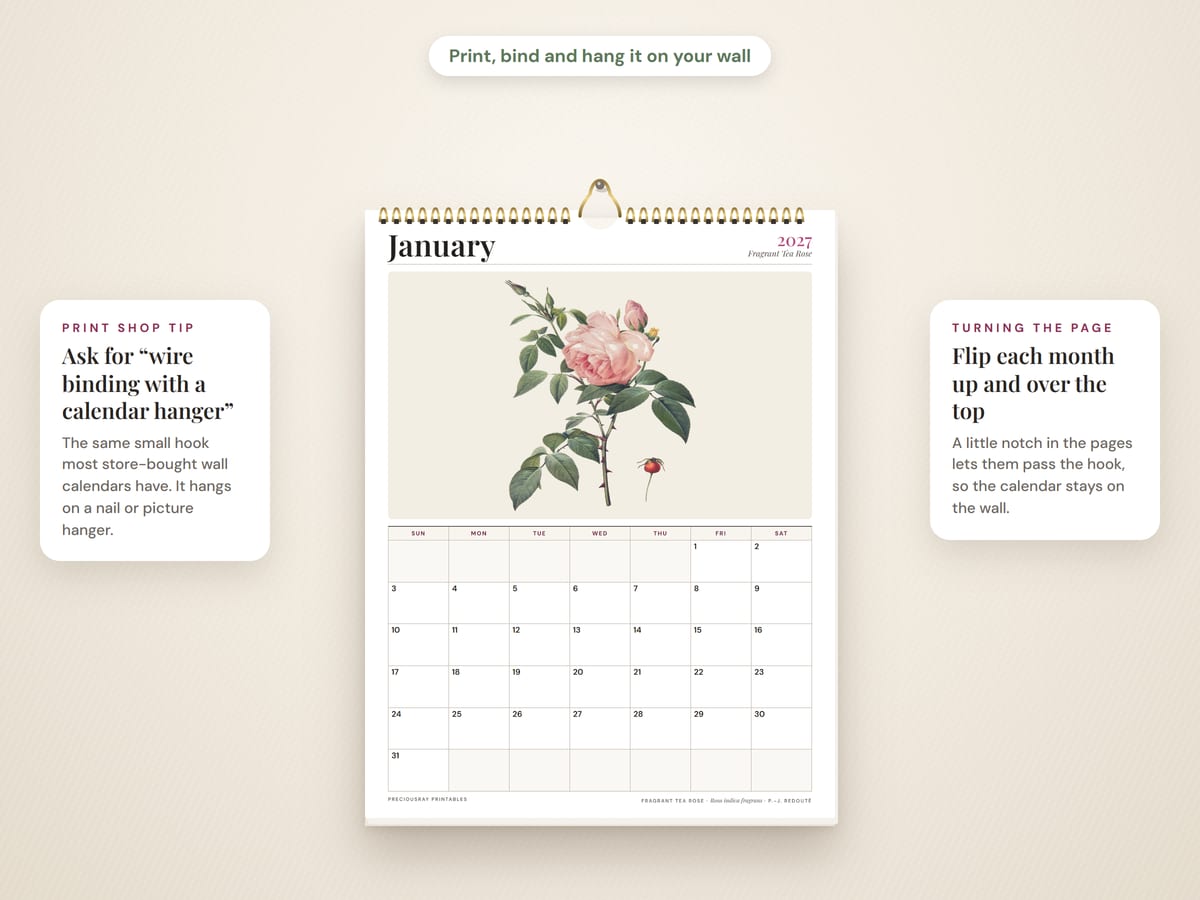
Hangs flatter: put a sheet of thin card behind the last page.
6. Keep each month as a little print
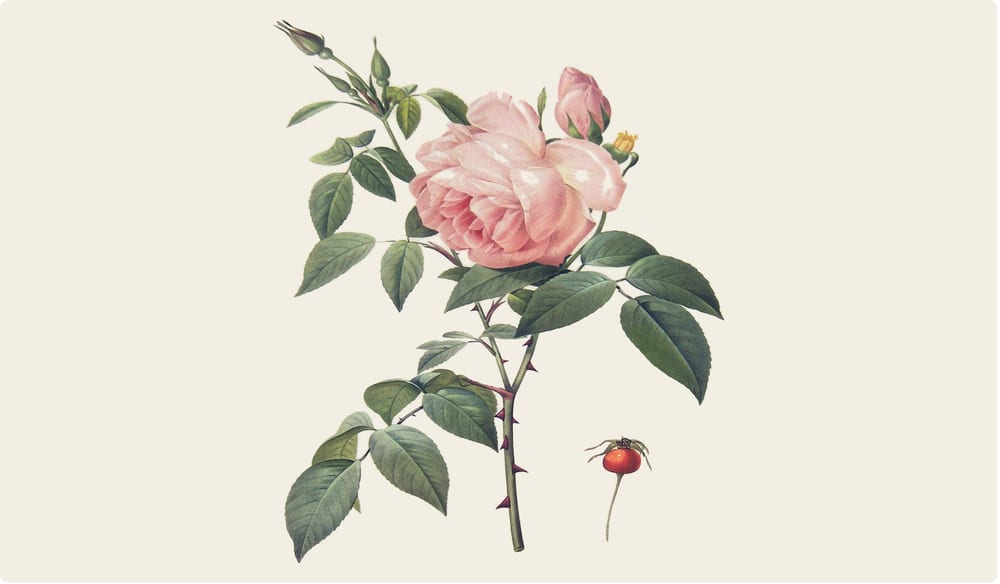
When a month is over, you don't have to throw the page away. On our calendars, each plant sits on its own cream panel above the dates, so it is easy to keep.
- Trim the picture panel. On the US Letter page it measures about 7.7 × 4.5 inches (A4 is very close). Cut just above the date grid with a paper trimmer or a ruler and craft knife.
- Display it. Put it behind a mat in a small landscape frame, clip a few months to a string with mini pegs, or slip one into a recipe book or journal.
- Save your favorites. At the end of the year, keep the plants you loved most as a small collection.
If you would like plant art made to fill a frame from the start, our vintage herb prints and fern prints come sized for popular frames.
Questions people ask
What is the best paper for printing a wall calendar?
Matte card stock between 65 and 110 lb cover (about 175 to 300 gsm). It hangs flat, lasts all year and is easy to write on. Plain paper works too, but it curls and creases more.
Should I choose matte or glossy paper?
Matte. You can write on it with a pen or pencil without smudging, and it does not reflect light.
Can my home printer print on card stock?
65 lb card stock (about 176 gsm) works in nearly all home inkjet printers. 80 lb (about 216 gsm) often works too, but usually only through a rear or manual feed tray. Heavier 100–110 lb cover stock is often too thick for home printers. Your printer manual lists the heaviest paper it takes, usually in gsm. Compare gsm, because pound (lb) numbers differ between paper types. If in doubt, use 65 lb or a print shop.
Should I choose "Fit to page" or "Actual size"?
Choose Fit to page. Most home printers cannot print right to the edge, so Fit to page keeps every date box on the paper.
Do I print double-sided?
No. Each month is one page with the picture on top and the dates below, so print single-sided.
What do I ask for at a print shop?
Ask for single-sided color prints on heavy matte card stock, and wire binding with a calendar hanger along the top edge.
Why do the colors look different from my screen?
Screens glow and paper reflects light, so prints usually look a little softer. The best quality setting and bright white matte paper give the closest match.
Ready to print?
See our 2027 vintage botanical calendars: flowers, herbs & ferns, and vegetables.
See the Flower Calendar